Showing posts with label QR codes. Show all posts

Thursday, 8 December 2011

iPhone QR code wins an award


A painting that doubles as an iPhone QR code has been announced as the winning entry in the Bold Horizon National Contemporary Art Award 2011. The announcement was made at an awards ceremony at Waikato Museum on Friday, 5 August.
The entry titled Blue Poles is by New Zealand artist Andre Hemer, who currently resides in Sydney. As the winner, Mr Hemer receives $15,000 in prize money.
Award judge John Hurrell, who selected Mr Hemer’s entry from amongst 42 finalists’, praised the high standard of entries received. “This year there was an especially high standard of application and so, because of space limitations, some shaping was necessary to fit the available space,” he said.
“The winning work by Andre Hemer is a painting that doubles as an iPhone QR code, linking to a Google map showing where Jackson Pollock's famous Blue Poles (1952) is located in the National Gallery of Australia in Canberra. This American painting was purchased by the Whitlam Government in 1973 for $2 million. Possibly the most important twentieth century artwork in the Southern Hemisphere, Pollock's work is referenced by Hemer to speak of cultural capital and national status globally, and the aspirations of a New Zealand artist looking at it from afar.”

Wednesday, 30 November 2011

Personalized QR Codes

Screen Shot 2011-11-13 at 10.56.05
At the How To Web conference in Romania this week, I moderated a panel discussion on mobile trends. The general view on stage was that QR codes were boring and passé but just a few hours later at the evening party, a group of developers were showing off an app that they hoped would change our minds.
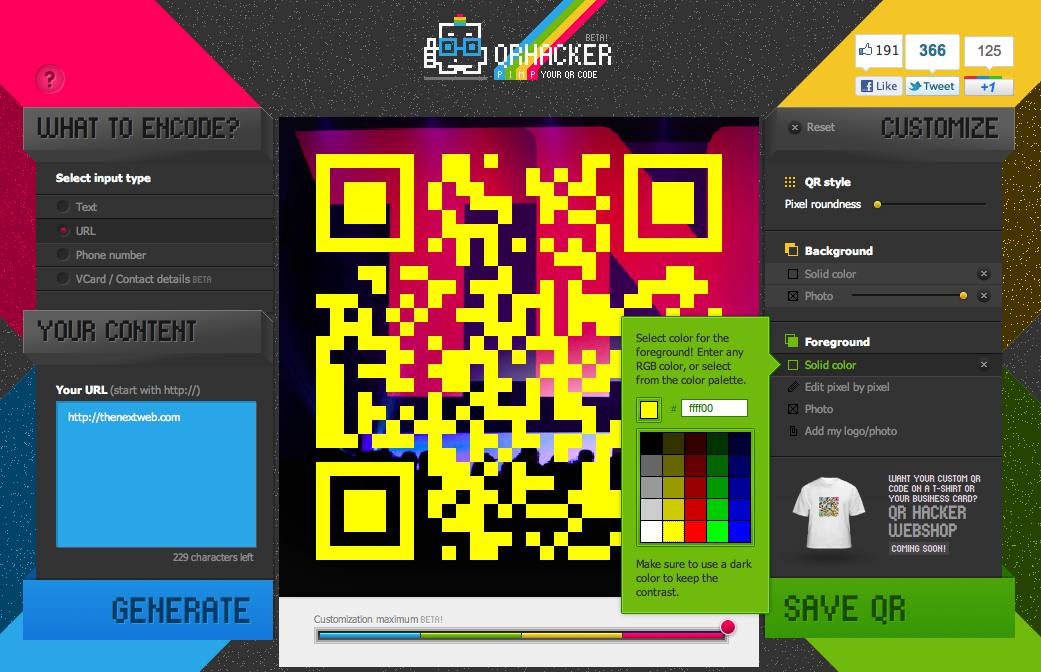
QRhacker, created by a small team at Hungary-based Carnation Group, is a bit different from your average QR code generator Web app, allowing you to quickly and easily personalise the familiar square barcodes without the need for any Photoshop skills.
The first step is to choose whether your QR code will link to some text, a URL, a phone number or a Vcard containing your contact details. From there, it’s time to get customizing. You can give your code rounded edges, and change the background and foreground colors or even upload an image to be inserted into the background or overlaid across the code itself.
Screen Shot 2011 11 13 at 10.43.23 520x335 Create personalized QR codes with the fast and fun QRhacker
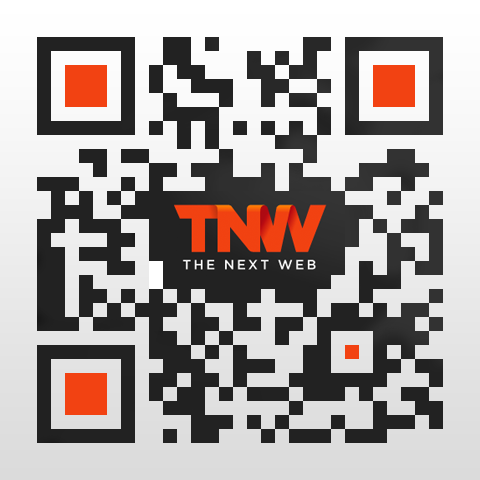
If you want to brand the code, you can upload a logo to insert into the design. You can even edit on a pixel-by-pixel basis, letting you ‘paint’ designs onto the canvas. While it’s easy to get carried away, the app will let you know when you’ve gone overboard with a little too much customization to the point when your QR code may be unreadable. Finished designs can be saved as a PDF or PNG file.
While I’m still not convinced about the long-term prospects for QR codes (advanced image and object recognition will replace them sooner than you might think), if I ever need to generate one it will be with this useful, well designed and fun app.
tnw v2 Create personalized QR codes with the fast and fun QRhacker